Trusted by









Custom allow-lists and time- or location-aware rules open the right sites for work while keeping distractions, streaming, and risky categories out.

Per-app proxy tunneling and HTTPS inspection encrypt mobile web traffic end-to-end, stopping man-in-the-middle attacks at airports, hotels, and coffee shops.

Secure Browsing applies the same web rules on corporate Wi-Fi, home networks, and public hotspots so employees get one consistent policy no matter where they work.

Category filters, SSL inspection, and cloud-powered URL classification block harmful and risky sites before the browser can load them on any managed device.
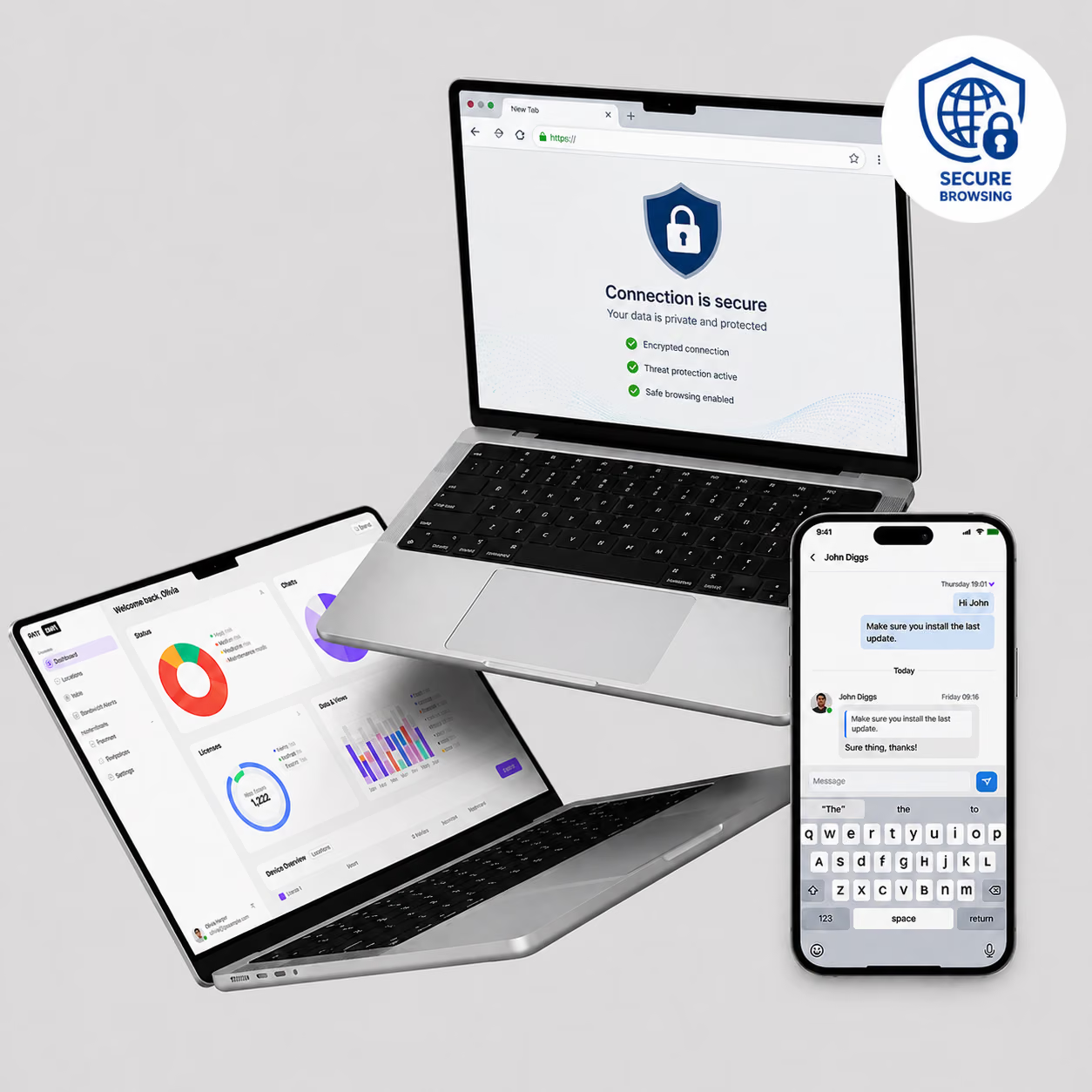
Bento Secure Browsing filters web traffic by category, inspects SSL/TLS, and applies time-, location-, and app-based policies for safe mobile access.

Capture logs of blocked attempts, policy violations, and usage trends to feed dashboards and notify teams for proactive response.

Allow-list essential URLs and block-list sensitive or non-compliant sites, making exceptions for specific business needs.

Apply different browsing rules on campus, remote, or public networks, adapting security controls based on device location.

Apply stricter browsing restrictions during off-hours and weekends to align web access with organizational schedules.

Route web traffic through the corporate VPN or proxy for filtering and logging, without impacting other applications.

Decrypt, scan, and re-encrypt HTTPS traffic in real time to identify hidden risks before they reach managed browsers.

Automatically categorize new domains via cloud intelligence, preventing access to emerging threats or disallowed content without manual updates.

Block or allow sites by category, such as malware, social media, and streaming, to support corporate browsing compliance.

Enforce safe browsing policies, block malicious sites, and isolate corporate web traffic from personal browsing on BYOD and shared devices. Bento Secure Browsing layers on top of MDM Content Filtering for complete web access control.

"With Bento MDM and FSM, we efficiently manage over 700 devices, automate workflows, and improve communication between field teams."
Cristian Bordescu
Operations Director


“Our collaboration with Bento on migrating over 2,000 DPD devices was exceptional. Their openness, flexibility, and constant support stood out throughout the project. Their quick adaptation to challenges and solution-oriented approach made all the difference, a truly reliable and professional partner.”
Valentina Ionescu
CIO, DPD
https://www.linkedin.com/in/valentina-ionescu-45a117bb
https://www.facebook.com/DPDRomania/
https://www.linkedin.com/company/dpd-romania/
https://www.dpd.com/
https://ro.wikipedia.org/wiki/DPD_Romania

"Bento Field Service Management and Mobile Device Management helped us streamline field interventions, secure mobile devices, and increase operational transparency."
Simona Gigiu
Business Line Director



Browsing logs, category reports, and SSL inspection events export for GDPR, HIPAA, and SOC 2 audit evidence.

Lobby, hotel, and kiosk devices apply a guest browsing profile that resets between sessions and blocks unsafe sites.

Home and traveling workers get the same web policy on any network, with SSL inspection catching threats in HTTPS.
.avif)
Back-office browsers open only approved vendor portals, with downloads and category traffic blocked outside work hours.

Clinician devices allow EHR, pharma, and reference sites while blocking personal cloud, social, and streaming traffic.

Student devices block adult, gambling, and social categories by age group, with teacher override in class mode.
%201.avif)
GDPR
Compliant

99.9%
Uptime

ISO 27001
Compliant

HIPAA
Compliant
How is usage reported?
Bento Secure Browsing logs all browsing activity, blocked attempts, and policy violations to a central dashboard. Reports export by device, user, time range, or category and feed into compliance workflows.
What’s per-app proxy tunneling?
Per-app proxy tunneling routes web traffic from specific apps through a corporate proxy for filtering and logging, without redirecting traffic from other apps or personal browsing. IT controls which apps use the tunnel.
How are custom allow/block lists managed?
IT teams add URLs or domains directly to allow or block lists in the Bento MDM console. List entries take immediate effect across all managed devices without requiring policy republishing or device restarts.
How do location-aware rules function?
Bento Secure Browsing applies different filter policies based on the device network location. On-campus devices follow a standard corporate policy, while devices on public networks receive stricter controls automatically.
Can browsing policies be time-based?
Yes. IT teams set browsing rules that activate on a schedule. Stricter filters apply after hours or on weekends, while standard policies apply during working hours. All schedules configure in the console.
What is dynamic URL categorization?
Bento Secure Browsing uses cloud intelligence to classify new domains in real time. When a device requests an uncategorized URL, the system checks it against the cloud database and applies the correct filter policy immediately.
How does SSL/TLS inspection work?
Bento Secure Browsing decrypts HTTPS traffic at the proxy, scans the content for threats or policy violations, then re-encrypts and forwards clean traffic to the device. This catches risks hidden inside encrypted connections.
What is secure browsing in MDM?
Secure browsing in MDM filters and controls web access on managed devices. Bento Secure Browsing blocks harmful sites by category, inspects encrypted traffic, and enforces time- and location-based rules across every managed device.

From BYOD to kiosk lockdown, Bento MDM secures and simplifies your device operations. Try it for free or book a live demo.


By Features
By Business Initiative
By OS Support