Trusted by







Move devices using the best path for each platform, with native transfer where supported and phased re-enrollment where needed.

Bento’s team rebuilds your existing policies, profiles, and app rules so IT does not.

Assessment, translation, pilot, and cutover support come with the subscription, no extra fee.

All features included; can reduce licensing costs versus Intune, Jamf, and Workspace ONE.

Bento reviews device counts, enrollment modes, policies, and dependencies, then delivers a migration plan.

Existing restrictions, Wi-Fi, VPN, certificates, and app rules map into Bento’s framework for review.

Run 10-50 devices on Bento alongside your current MDM to validate before cutover.

Apple uses native iOS 26 and macOS 26 migration; Android and Windows re-enroll automatically in waves.

Apple VPP and managed Google Play licenses are processed through ABM and Google Workspace; apps remain installed.

Every device is confirmed in the console; the old MDM remains read-only for 30 to 60 days.

Move to Bento with done-for-you policy translation, parallel-run testing, and phased cutover, without re-enrolling devices or losing a workday.
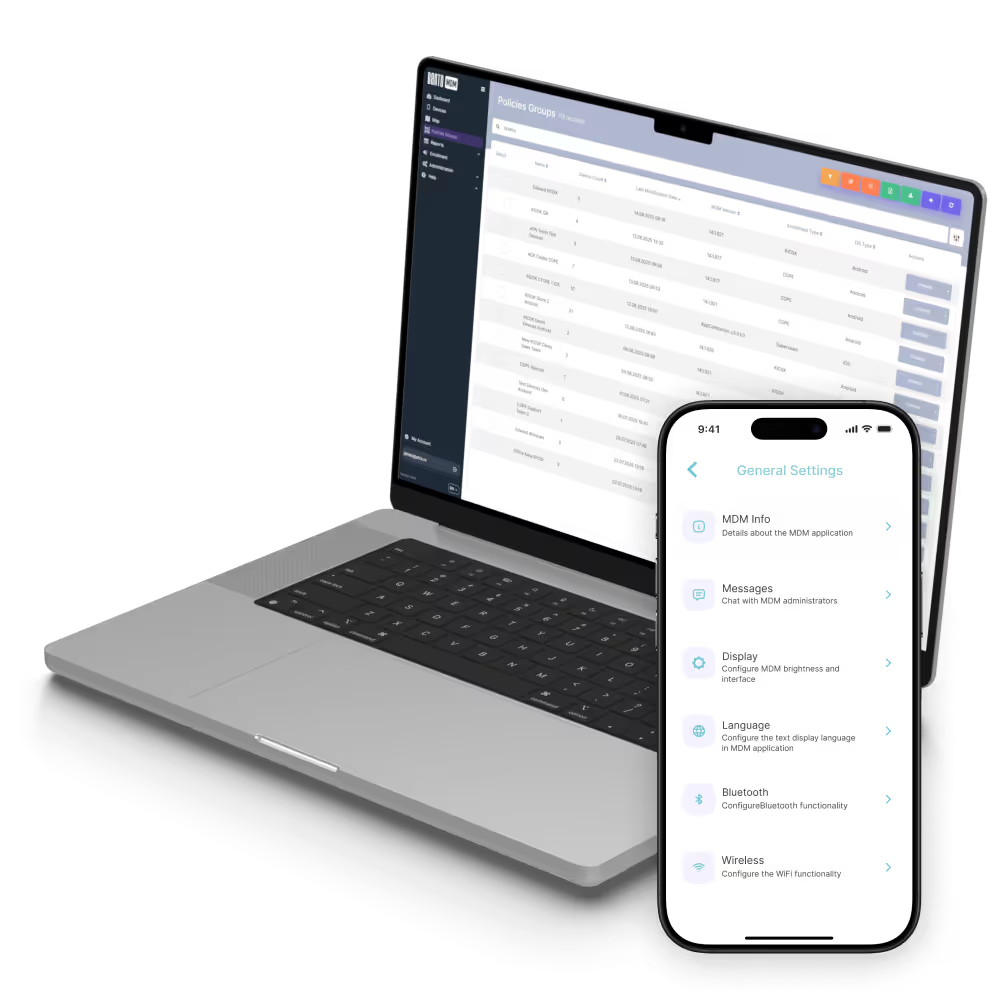
Apple devices use native iOS/macOS (latest version) transfer, where supported; Android and Windows re-enroll automatically. Significant license savings vs Intune.
Apple fleets use native iOS/macOS (latest version) transfer where supported; VPP licenses persist through Apple Business Manager.
Migrate Apple, Android, Windows, and ChromeOS fleets per platform, with vendor-specific policy translation.
Kiosk, app catalogs, Wi-Fi/VPN, and compliance rules translate into Bento at a lower per-device cost.
Apple-only fleets migrate natively; Bento adds the Android and Windows they do not manage.
Android Enterprise, iOS supervised, and Windows devices migrate to Bento with platform-specific policy translation.

"With Bento MDM and FSM, we efficiently manage over 700 devices, automate workflows, and improve communication between field teams."
Cristian Bordescu
Operations Director


“Our collaboration with Bento on migrating over 2,000 DPD devices was exceptional. Their openness, flexibility, and constant support stood out throughout the project. Their quick adaptation to challenges and solution-oriented approach made all the difference, a truly reliable and professional partner.”
Valentina Ionescu
CIO, DPD
https://www.linkedin.com/in/valentina-ionescu-45a117bb
https://www.facebook.com/DPDRomania/
https://www.linkedin.com/company/dpd-romania/
https://www.dpd.com/
https://ro.wikipedia.org/wiki/DPD_Romania

"Bento Field Service Management and Mobile Device Management helped us streamline field interventions, secure mobile devices, and increase operational transparency."
Simona Gigiu
Business Line Director


%201.avif)
GDPR
Compliant

99.9%
Uptime

ISO 27001
Compliant

HIPAA
Compliant


Replace €5 to €12 per-device enterprise MDM with Bento’s flat €1, cutting 70 to 90 percent.

Merge the separate MDMs for Apple, Android, and Windows into a single console and license.


Move from cloud-only MDM to self-hosted Bento for CJIS, ITAR, or data-residency rules.

Exit a discontinued or acquired MDM quickly, without running an unsupported platform.

Consolidate device management from multiple legacy MDMs into one platform after a merger.
What is MDM migration?
MDM migration is the process of moving a managed device fleet from one mobile device management platform to another. The migration covers device re-enrollment (or native MDM-to-MDM transfer where supported), policy translation between the two MDM frameworks, app license transfer through Apple VPP and managed Google Play, certificate and VPN profile reissuance where required, and validation that every device reports correctly to the new MDM with the expected configurations. A well-executed migration preserves user productivity throughout the transition.
Do my devices need to be wiped to switch MDM vendors?
No, in most cases. Apple introduced native MDM-to-MDM migration in iOS 26 and macOS 26: devices accept a single migration profile and migrate from the old MDM to Bento, preserving apps, data, and user state. Older Apple devices, Android Enterprise devices, and Windows devices have vendor-specific re-enrollment paths that do not require a factory reset in most scenarios. The Bento migration assessment identifies any devices that require wiping and re-enrollment so they can be planned separately.
How long does an MDM migration take?
Migration timeline depends on fleet size, policy complexity, and platform mix. A 100-device single-platform fleet typically migrates in two to three weeks (assessment, translation, pilot, fleet cutover). A 1,000-device multi-platform fleet typically takes four to eight weeks. A 10,000-device global fleet with complex policy structures may take three to six months, including phased cutover by business unit. Bento’s migration assessment provides a specific timeline for your situation.
Can my existing apps and licenses transfer to Bento?
Yes. Apple VPP licenses transfer through Apple Business Manager: existing app assignments persist, and licenses do not need to be repurchased. Managed Google Play apps transfer through your Google Workspace tenant: app deployments continue working after migration. Custom enterprise apps (private APKs, IPAs, MSI packages) re-upload to Bento’s enterprise app store and re-deploy through Bento’s policy framework.
Will users be disrupted during the migration?
The migration is designed to minimize disruption. On Apple devices using iOS 26 / macOS 26 native migration, users see a single profile acceptance prompt and continue working. On Android Enterprise, users may need to re-enroll through QR code or zero-touch (typically a 5-minute process). On Windows, the Autopilot enrollment cycle automatically handles re-enrollment. Pilot group testing identifies any user-facing impact before fleet cutover, and cutover waves are scheduled outside business hours where possible.
What if my current MDM has features Bento does not support?
Bento’s migration assessment specifically identifies feature parity gaps before migration commits. In most evaluations, Bento covers all required features (often with capabilities the previous vendor did not offer, such as Offline QR Commands or on-premise deployment). Where genuine gaps exist, the assessment surfaces them so the customer can decide whether to proceed, request a roadmap commitment, or wait. No surprise feature gaps were discovered after migration.
How does Bento’s pricing compare to Intune, Jamf, and Workspace ONE?
Bento is €1/device/month flat with all features included. Microsoft Intune typically costs €6 to €12 per user per month, bundled in M365 E3/E5 (or standalone). Jamf Business runs €4 to €7.50 per device per month; Jamf Pro runs higher with negotiated enterprise pricing. VMware Workspace ONE Advanced runs €7 to €9 per device per month. For a 1,000-device fleet, Bento typically costs €12,000/year compared to €60,000 to €120,000 on the alternatives. Migration ROI is usually clear within the first invoice cycle.
How does the SOTI MobiControl migration to Bento work?
SOTI MobiControl migrations follow Bento’s standard five-step migration process: assessment, policy translation, pilot, fleet cutover, and validation. SOTI’s strengths in rugged Android, iOS supervised, and Windows endpoint management all carry over to Bento. SOTI MobiControl policy exports through the REST API translate into Bento’s policy framework. SOTI Surf web filtering rules map to Bento’s content filtering. SOTI Hub content distribution maps to Bento’s Mobile Content Management. SOTI Lockdown profiles map to Bento’s Kiosk Mode and Dedicated Device configurations. The migration team has executed SOTI cutovers across retail, logistics, healthcare, and field-service environments, with playbooks specific to rugged Zebra, Honeywell, and Samsung deployments managed through SOTI.
Does Bento offer migration support, or do I need professional services?
Migration support is included in the Bento subscription. The migration team handles assessment, policy translation, pilot validation, and cutover support. There is no separate professional services contract, no per-hour consulting charge, and no migration package upgrade. For very large or complex migrations (10,000+ devices, multi-region rollouts, M&A integrations), Bento’s migration team can schedule extended engagement at no additional cost.
Can I run Bento and my current MDM in parallel during migration?
Yes. Parallel running is the recommended approach for any migration involving more than 100 devices. A pilot group of 10 to 50 devices runs on Bento while the rest of the fleet remains on the current MDM. The pilot validates policies, apps, and compliance for one to two weeks before fleet cutover. After fleet cutover, the old MDM tenant typically remains in read-only fallback mode for 30 to 60 days before final decommission.
What happens to my compliance reporting history during migration?
Compliance history from the previous MDM is exported as part of the migration assessment for archival purposes (audit retention, regulatory requirements). Going forward, Bento’s compliance reporting starts fresh on the cutover date, with full audit-trail capabilities. For organizations subject to multi-year retention requirements (HIPAA, CJIS, SOC 2 Type II), the legacy export and the Bento ongoing reports together provide a complete compliance record.

Leaving Intune, Jamf, Workspace ONE, or Hexnode? Bento's migration team handles the cutover, policy translation, and rollout, all included in the per-device price.


By Features
By Business Initiative
By OS Support